Work shown
Deliverable 01
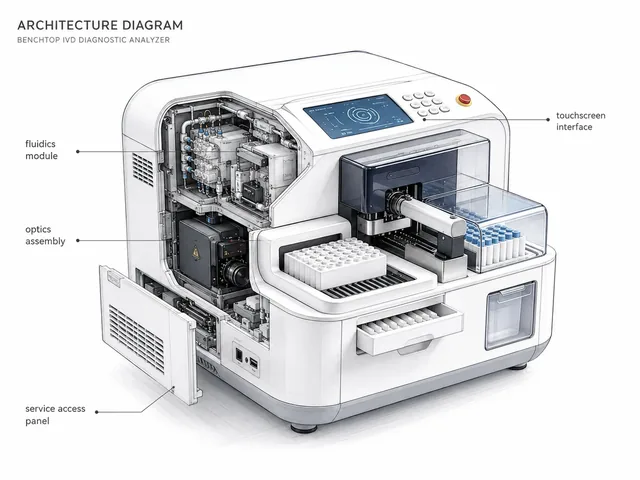
Instrument architecture map for fluidics, optics, touchscreen and service access.
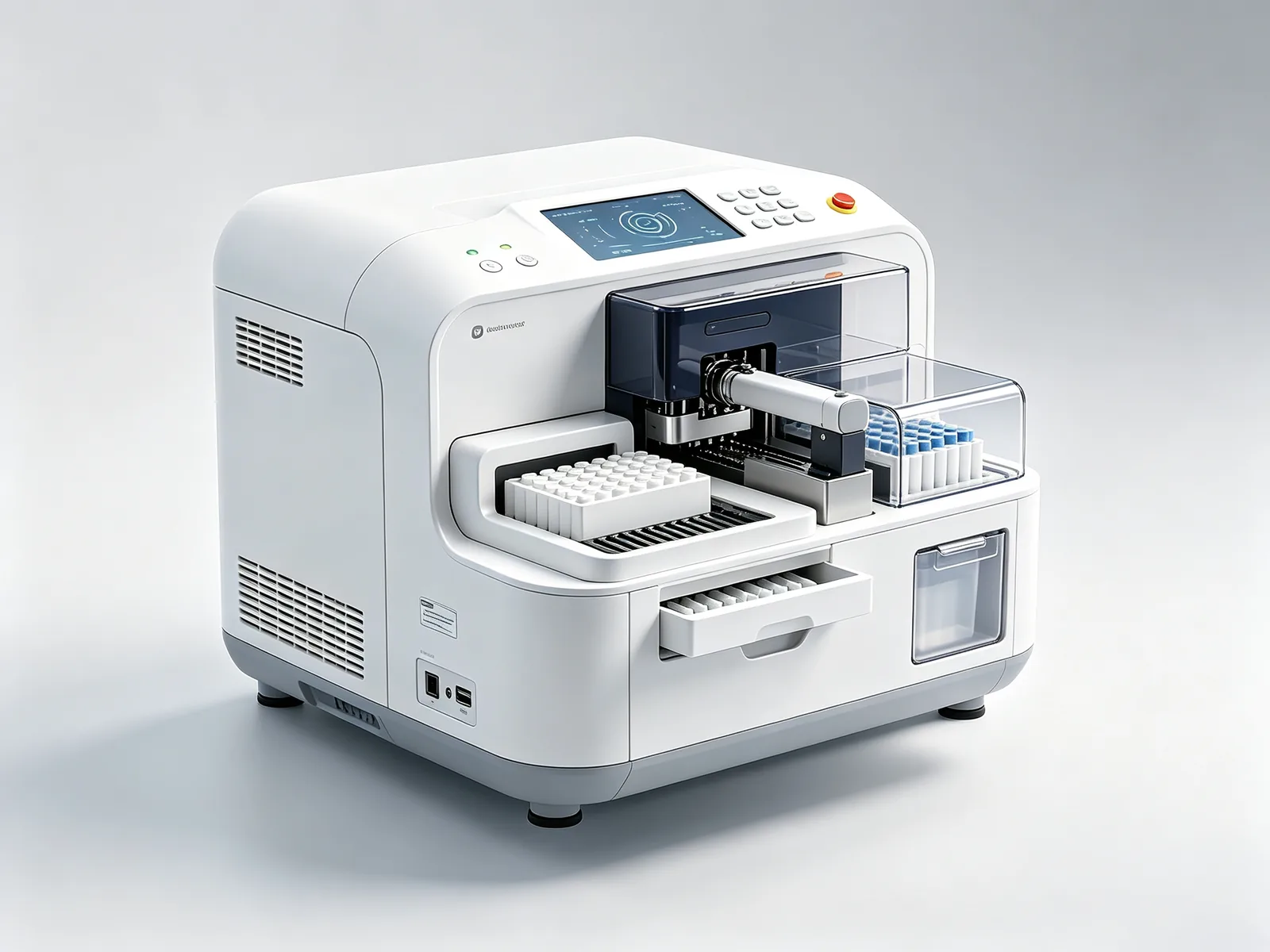
A diagnostics equipment maker needed an in-vitro diagnostic analyzer enclosure that could support lab workflows, cleaning requirements and clinical-grade appearance without complicating cleaning validation or service access.
This case sits in the Medical Device Design & Diagnostics product type. Visit that page to confirm category fit before requesting a review.
Each theme maps to a common product-development decision: whether to fund engineering files, prototype, tooling, supplier sampling or pilot approval.
Diagnostics teams need an enclosure that looks clinical, cleans easily and keeps service access easy to document.
medical device industrial design, IVD instrument enclosure design, benchtop diagnostic equipment design.
Hard-to-clean seams, blocked service panels, cable clutter and non-clinical appearance choices.
Review a benchtop diagnostic instrument concept before prototype or supplier quoting.
Use this section to understand what changed through the project before comparing visuals.
| Project stage | What happened | Why it matters |
|---|---|---|
| Challenge | The team had a validated fluidics and optics module, but no enclosure direction suited to lab benchtop use and cleaning protocols. | Clarifies why the team could not simply approve the next spend. |
| Main concern | A styling-first enclosure could complicate cleaning, service access, cable management or the validation work that follows. | Shows the commercial or technical issue behind the project. |
| Approach | Align exterior form, panel seams, service access and cleanable surfaces with lab workflow and clinical-appearance expectations. | Explains how form, structure, prototype route and supplier questions were connected. |
| Work completed | Instrument architecture map for fluidics, optics, touchscreen and service access. Exploded view separating cleanable exterior from serviceable internal modules. | Makes the case more useful than a finished image alone. |
| Result | Clarified a lab-ready enclosure direction before deeper mechanical engineering spend. Reduced the risk of hard-to-clean seams or blocked service access. | Helps similar teams judge whether the same path fits their product stage. |
A useful example should show more than a finished image: inputs, structure, prototype notes and production preparation all matter.
Instrument architecture map for fluidics, optics, touchscreen and service access.
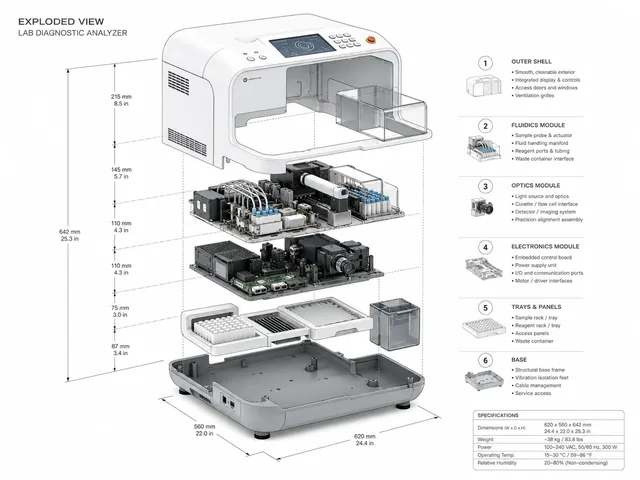
Exploded view separating cleanable exterior from serviceable internal modules.
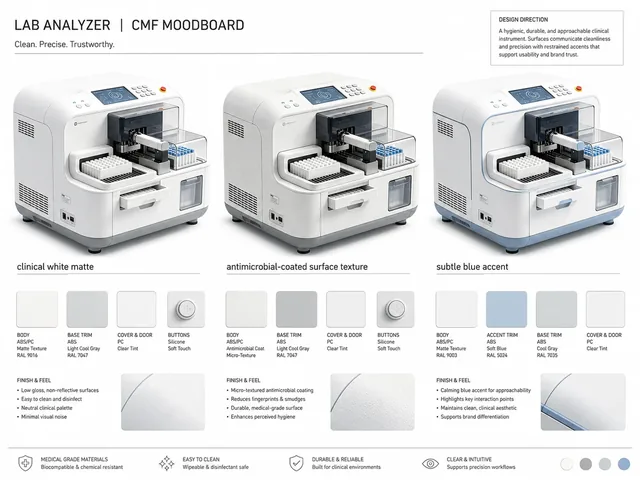
CMF direction suited to clinical and lab environments.
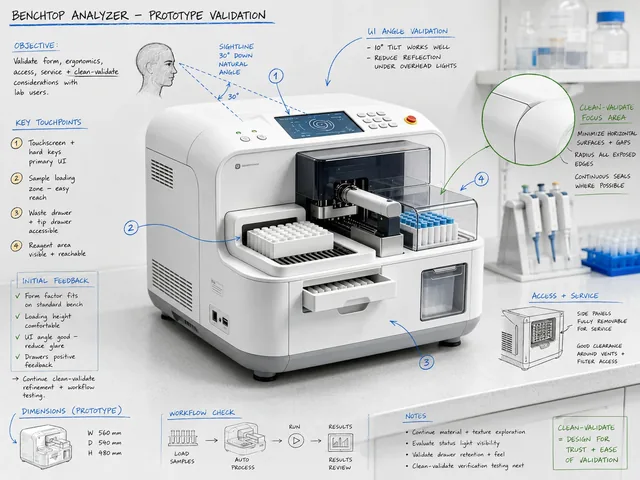
Prototype notes for benchtop ergonomics and cleaning validation.
A useful case explains the project situation, not only the final visual.
The team had a validated fluidics and optics module, but no enclosure direction suited to lab benchtop use and cleaning protocols.
A styling-first enclosure could complicate cleaning, service access, cable management or the validation work that follows.
Align exterior form, panel seams, service access and cleanable surfaces with lab workflow and clinical-appearance expectations.
Case pages separate inputs, completed work and approval gate so your team can judge whether a similar engagement fits your stage.
Product goal, current files, target user, constraints, references and supplier or prototype context when available.
Form, structure, 3D files, prototype, DFM or supplier-review outputs tied to the decision being made.
A practical next decision: fund engineering files, build prototype, revise before tooling, ask supplier questions or approve pilot conditions.
A strong industrial design case includes visual and technical outputs across form, structure, prototype and manufacturing preparation.
These client-safe outputs show the kind of project progress you should expect.
The first review gets faster when you can share the few details that define your current stage.